ONE:
Click the Start Menu.
TWO:
Click the settings icon.
THREE:
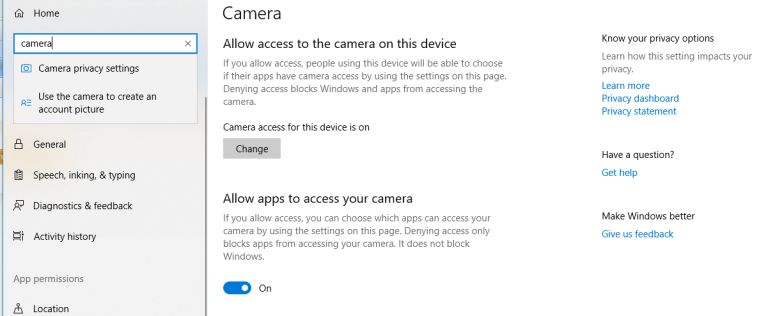
Type Camera and Select Camera privacy, then make sure access is turned on. Repeat by searching microphone and selecting microphone privacy.

ONE:
Click the Start Menu.
TWO:
Click the settings icon.
THREE:
Type Camera and Select Camera privacy, then make sure access is turned on. Repeat by searching microphone and selecting microphone privacy.

You must be logged in to post a comment.