
Having different profiles in Chrome can be very helpful if you have multiple Google accounts. It lets each have their own Chrome instance and can make switching very easy.
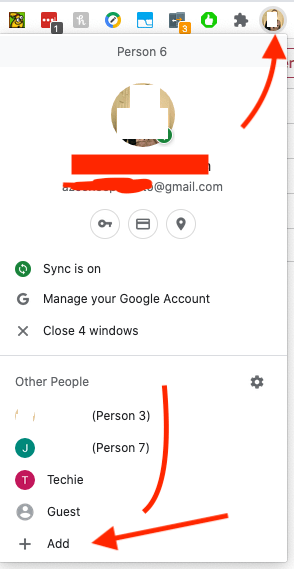
You can click the little circle in the upper right to expand the menu for profiles.
Click Add to create a new, name it and create, then sign in when prompted. Enable sync when prompted.
You can then click the profile you want to switch to. Each profile should have different emails attached.

You must be logged in to post a comment.